Listen: Keyboard in action
A glimpse of Mirco Lieber's keyboard playing — modern styles, lead sheet interpretation, and improvised accompaniment on digital keyboard.
Why study keyboard with Mirco Lieber?
Mirco Lieber holds a MMag. from MDW University for Music and Performing Arts Vienna and the Academy of Music Ljubljana, with a specialisation in concert accordion, harpsichord, organ, and piano — and over 30 years of teaching experience.
Piano technique and theory transfer directly to keyboard, which makes it one of the fastest and most affordable ways to start playing. Lessons add the instrument-specific skills a digital keyboard offers: layering and splitting sounds, built-in rhythm and accompaniment functions, and velocity-sensitive touch — all shaped around a home-studio setup.
What's included
- 1-on-1 live coaching via Zoom, tailored to your instrument and goals
- Core piano technique and note reading, adapted to keyboard
- Layering, splitting, and voice sounds
- Rhythm and accompaniment functions, velocity sensitivity
- Modern styles — pop, jazz, and home-studio production basics
- Session recordings and practice notes after every lesson
Getting the most from your digital keyboard
Unlike an acoustic piano, a digital keyboard's sound comes from sampled or synthesized tones played back through onboard speakers or headphones — which means touch response, sustain behavior, and tone color all depend on the instrument's internal engine rather than physical strings and hammers. Velocity sensitivity (how the keyboard reads how hard you press) is what makes expressive dynamics possible on a digital instrument at all, so understanding how your specific keyboard implements velocity curves is as important as finger technique itself.
The tradeoff is flexibility: split points let you play a bass sound with the left hand and a lead sound with the right on the same 61 keys, layering stacks two sounds on top of each other for fuller texture, and the built-in rhythm engine turns a single keyboard into an entire backing band. Learning to use these tools musically — rather than as gimmicks — is what separates keyboard playing from simply playing piano on a cheaper instrument.
Topics covered
- Velocity curves and touch response — getting expressive dynamics out of a non-acoustic instrument
- Split points and layering — building full arrangements with two hands on 61 keys
- Rhythm and auto-accompaniment — using built-in styles musically, not as a crutch
- Headphone practice and home-studio basics — silent practice and simple recording setups
- Repertoire adaptation — arranging piano pieces for a smaller key range and different touch
Lead Sheets, Chord Progressions & Improvisation — Open to Any Repertoire
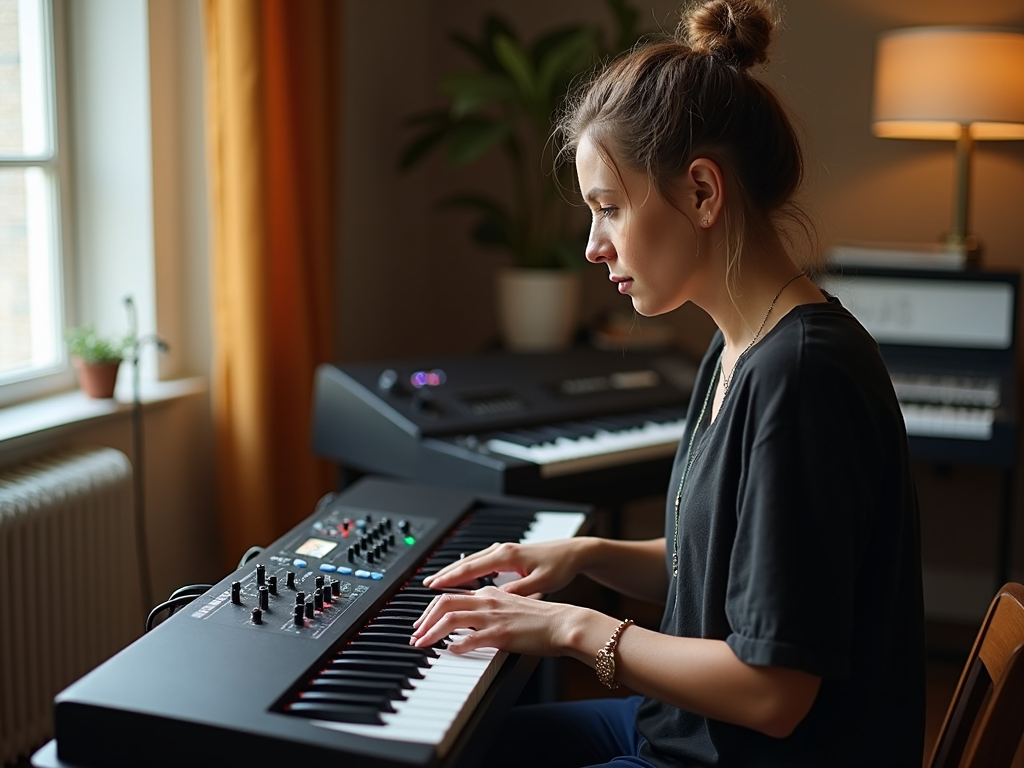
Reading lead sheets and Real Books, understanding chord progressions, and being able to improvise — this is the foundation of my teaching style, whether on keyboard, piano, or any other instrument. Blues, jazz, pop, film music, modern harmony, and classical: I am open to any repertoire you are passionate about. You learn to not just read music, but to shape it spontaneously — in the genre you love.
What you'll learn
- Reading and interpreting lead sheets & Real Books — on your keyboard
- Understanding chord progressions and modern harmony
- Accompaniment patterns for pop, jazz, film music, Latin & folk
- Improvisation from the ground up — blues, modal, free
- Ear training and harmonic understanding
These skills — chord progressions, improvisation, and lead sheet work — are the core of my piano teaching, adult lessons, and 1-on-1 training for any keyboard instrument.
Frequently asked questions
Can I learn digital keyboard online?
Yes — Mirco Lieber offers 1-on-1 online coaching for digital keyboard, taught live via Zoom rather than pre-recorded video, so lessons adapt in real time to whatever keyboard you already own and to how you're actually progressing. Sessions cover core piano technique and note reading alongside keyboard-specific skills: layering and splitting sounds, built-in rhythm and accompaniment functions, velocity sensitivity, and modern styles from pop to jazz. Because the coaching is live, Mirco can watch hand position, adjust pacing, and demonstrate a technique on screen the moment it's needed — something a fixed video course can't replicate. Each session is recorded and comes with practice notes, so you can revisit the lesson afterward rather than relying on memory. The format suits complete beginners as well as returning adult learners, including people picking up an instrument for the first time later in life; lessons are shaped around your goals and current level, not a fixed curriculum.
Do I need a full 88-key piano to start?
No — a standard 61-key digital keyboard is a great starting point, and most students begin lessons on exactly that. Piano technique and theory — fingering, scales, chord shapes, reading music — transfer directly to keyboard, so nothing you learn is wasted if you later move to a full 88-key instrument. What matters more than key count in the beginning is velocity sensitivity: whether the keyboard registers how hard you press, since that's what makes expressive dynamics possible at all. A 61-key keyboard's narrower range only becomes limiting once you're playing repertoire that spans further than five octaves, which is well beyond where most beginners and intermediate players work. Lessons are shaped around whatever keyboard you already own rather than a fixed instrument requirement, and if you decide to upgrade later — to a weighted 88-key digital piano or an acoustic instrument — your technique carries over with only a short adjustment period for the heavier touch.
What makes keyboard different from piano lessons?
Alongside the same core piano technique — fingering, note reading, chord shapes — keyboard lessons add a set of instrument-specific skills that acoustic piano lessons simply don't cover. Layering lets you combine two sounds into one richer voice; splitting divides the keyboard so your left and right hand each control a different instrument sound; and built-in rhythm and accompaniment functions turn a single keyboard into a full backing band, which opens up modern styles from pop to jazz that are awkward to approach on acoustic piano alone. Velocity sensitivity — how the keyboard reads the force behind each key press — is also treated as its own topic, since it works differently from the continuous touch response of a weighted acoustic action. Lessons are shaped around a home-studio setup too: headphone practice for silent rehearsal, and simple recording workflows using the keyboard's USB-MIDI output, so the skills you build translate directly into music you can actually produce and share.
What's the difference between a digital keyboard and a piano?
An acoustic piano produces sound through hammers striking strings, with 88 fully weighted keys, a sustain pedal, and dynamics that respond continuously to touch pressure and speed. A digital keyboard typically has 61 unweighted or semi-weighted keys and produces sound electronically through sampled or synthesized tones, adding features no acoustic piano has — layering multiple sounds together, splitting the keyboard into different zones, built-in rhythm accompaniment, and headphone practice. Weighted 88-key digital pianos exist and feel closer to acoustic pianos, but a basic 61-key keyboard has a noticeably lighter, more uniform touch. Technique — fingering, scales, chord shapes, reading music — transfers well in both directions, so students moving between the two rarely have to relearn fundamentals. What does change is touch sensitivity and dynamic range: pianists moving to a lightweight keyboard need to adjust their sense of how hard to press, and keyboard players moving to piano need to build finger strength for a heavier action.
Can I record what I play on my keyboard?
Yes. Most digital keyboards include a USB-MIDI output, which lets you connect directly to a laptop and record what you play into free software like GarageBand or Ableton Live Lite. Recording via MIDI is different from recording audio: instead of capturing sound, it captures the actual notes, timing, and velocity of your performance, so you can go back afterward and edit wrong notes, change the instrument sound, or slow the tempo down for practice — something you can't do with a plain audio recording. If your keyboard doesn't have USB-MIDI, its headphone or line-out jack can usually be connected to an audio interface instead for a straightforward audio recording. Mirco Lieber can walk you through a simple home-studio setup as part of your lessons if that's a goal, covering both the MIDI and audio routes so you leave with a setup that actually works for you.
Coming Soon: Self-Paced Keyboard Course, Level 1
1-on-1 coaching is available now (above). A self-paced Level 1 video course — in the same format as our piano courses — is currently in development. Planned curriculum:
- Core piano technique and note reading, adapted to keyboard
- Layering, splitting, and voice sounds
- Rhythm and accompaniment functions, velocity sensitivity
- First pieces in modern styles — pop and jazz basics
Ready to start?
Book a free 15-minute discovery call — no commitment, no pressure.
Book Your Discovery Call →